The doors
| Door | Starts at | Can be |
|---|---|---|
| Single Door | 36″ | 18″ to 48″ |
| Dutch Door | 36″ | 28″ to 42″ |
| Double Door | 72″ | 48″ to 96″ |
| Sliding Door | 48″ | 36″ to 120″ |
| Bifold Door | 48″ | 24″ to 96″ |
| Pocket Door | 32″ | 24″ to 48″ |
| Barn Door | 36″ | 30″ to 72″ |
| Front Door with Sidelites | 68″ | 60″ to 96″ |
| Glass Door | 36″ | 24″ to 48″ |
| Double Glass Door | 60″ | 48″ to 96″ |
| Front Door with Glass | 68″ | 60″ to 96″ |
| Cased Opening | 36″ | 12″ to 120″ |
| Garage Door | 108″ (9 ft) | 72″ to 216″ |
Every door is 80″ (6′ 8″) tall, except the garage door, which is 84″ (7 ft). A Cased Opening is a doorway with no door in it. A Dutch Door is cut across in two halves with a little shelf on the bottom one: when you Walk, tap it once to open the top half, again to open the bottom, and again to shut both. The two front doors are a 36″ door in the middle with a tall glass panel on each side; the sidelites take whatever width is left. Front Door with Glass also has a window in the door itself.
Put one in
Pick a door from the Doors palette.
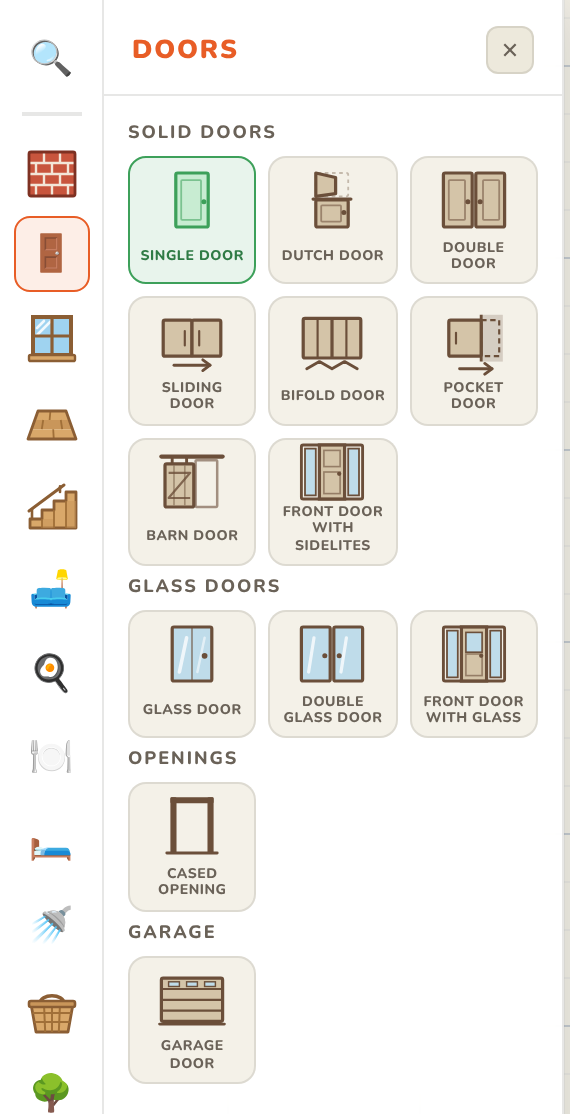
Click on a wall. The door goes in where you clicked.
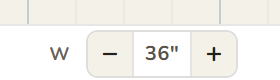
You can change the width before you click: use − and + next to Wide in the bar at the bottom.
Change it after
Click the door to select it. Round buttons appear:
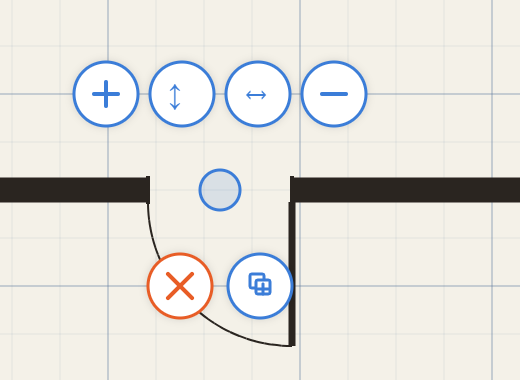
- The arrows flip it. One moves the hinge to the other side of the opening; the other makes it swing the other way. Try every combination to find the one that doesn't hit anything.
- Double and bifold doors only flip which way they swing, because both sides look the same.
- Sliding and pocket doors only flip their hinge side, because they don't swing.
- A Barn Door has both: one arrow picks the side it parks on when it slides open, the other picks which face of the wall it hangs on. It hangs on the wall's face from a black rail, so there is no swing arc on the plan, just the leaf beside the opening and an arrow for the way it slides.
- A cased opening has no door, so it has nothing to flip.
- − and + make it 6″ narrower or wider.
- ✕ deletes it.
- The two squares pick up the same door at the same width, so your next click puts in another one.
Colors. With a door selected, tap Color in the bar at the bottom (its dot shows the color now) and pick a circle. On a small screen it may be under Look. A new door starts white. Inside, doors come in white, wood, walnut and black. On an outside wall they also come in red, navy, sage and yellow. A glass door's button says Frame and colors its frame, a front door's color only the door (the sidelites stay white), a barn door's are wood tones, and a garage door's are white, black and wood. You see the color in 3D.
Transom. A single, double, Dutch, glass or front door, or a cased opening, can have a strip of glass over it. Select the door and tap ▭ Transom (on a small screen it is under Extras). You see it in 3D, and at night it glows like the windows. On a very low wall there is no room for one.
To move a door, drag it along its wall. It stays in the wall.
The curve drawn on the floor is the door's swing: the floor it needs to open. Keep furniture out of it.